Skip to content

Lyrassist: a lyric-guessing app with a song feed

Mobile app design and build for Lyrassist, a lyric-guessing app: 24 iOS screens, a song feed, favorites and a subscription, built full stack in under 6 months.

Lyrassist

The engagement

Client
Lyrassist
Industry
Music
Year
To follow
Duration
Under 6 months
Delivered
24 screens, iOS, sign-in through lyric guessing, song pages, a feed, favorites and a subscription, built full stack
Stack
To follow
Role
Full-stack development: design and build of the mobile app

Lyrassist is an iPhone app for music fans: a lyric-guessing game with a song feed around it. One card at a time shows a song, its opening lines and one blank line; a swipe guesses the next line. From the card the person opens the song and its lyrics sheet, saves it and posts it to the feed. Plainbuilt designed and built it full stack, 24 iOS screens from sign-in to subscription, delivered in under 6 months.

Who is Lyrassist for?

Music fans who know a song well enough to finish its lines. The screens show the shape of that audience: a card with the cover, the song, the artist and the album, then the lyric with a gap to fill. Around the game sit the things a fan keeps: a favorites page with recent, saved and posted songs, a personal library, a profile with the songs the person has posted, and a feed where other fans post songs with likes and comments.

What did Plainbuilt build?

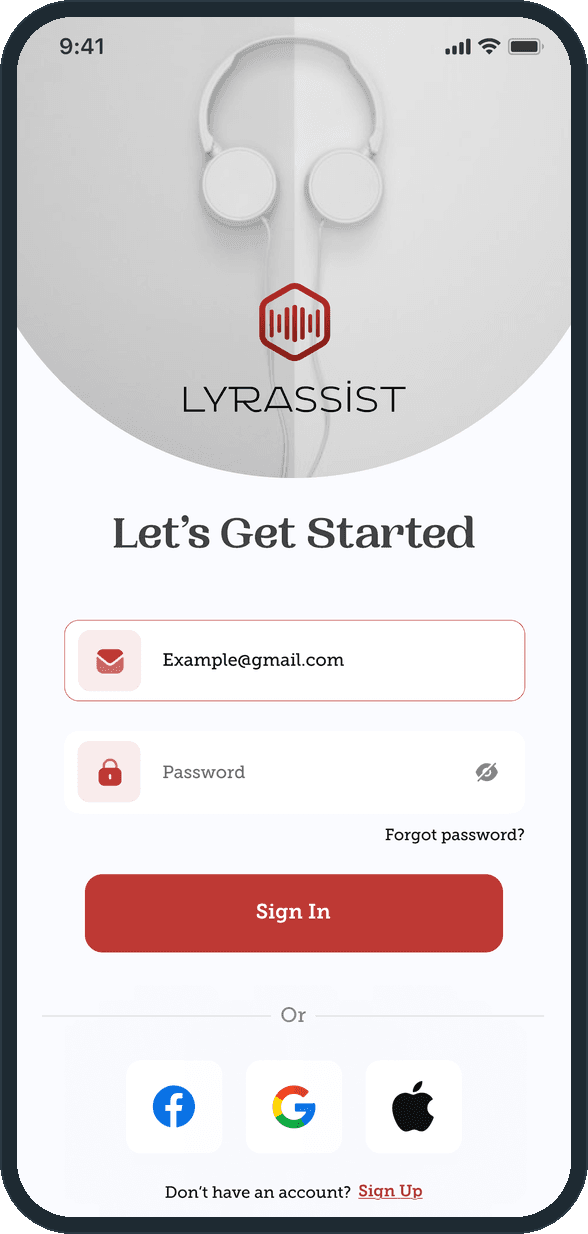
The whole app, front to back: the design of the 24 screens and the build behind them. Sign-in with email and password or a Facebook, Google or Apple account; sign-up with the terms and privacy policy; forgot password, a 4-digit code sent by email and a password reset. The home card, with a menu that leads to Feeds, Favorites, About the app, Send feedback, Subscription and Settings. The song page with a progress bar, shuffle, previous, play, next and repeat, a translate button and the lyrics sheet, plus a more menu to add the song to favorites, share it to the feed or add it to a personal library. The feed, the add-post form and the upload sheet. Favorites in four shelves, a lyrics grid with search, a profile and an edit-profile page. Subscription with two plans, a payment page with the cards on file and an add-card form. An about page and a feedback form.

What does the guessing flow look like?

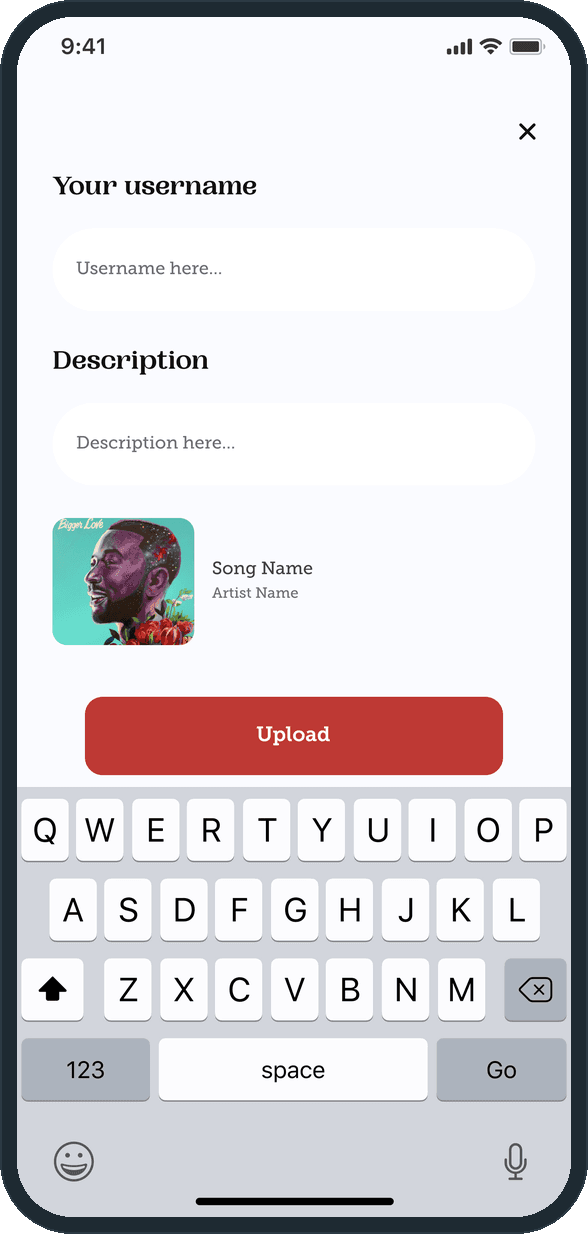
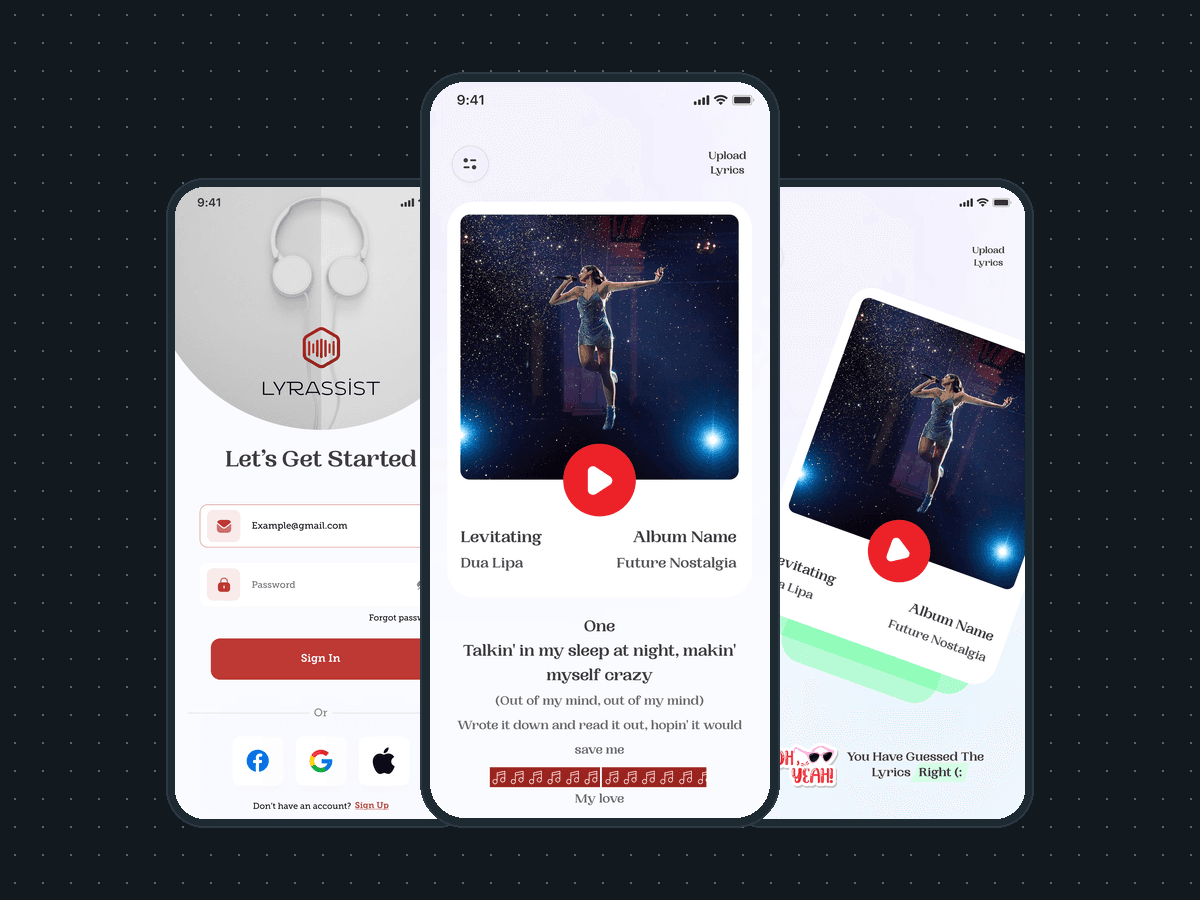
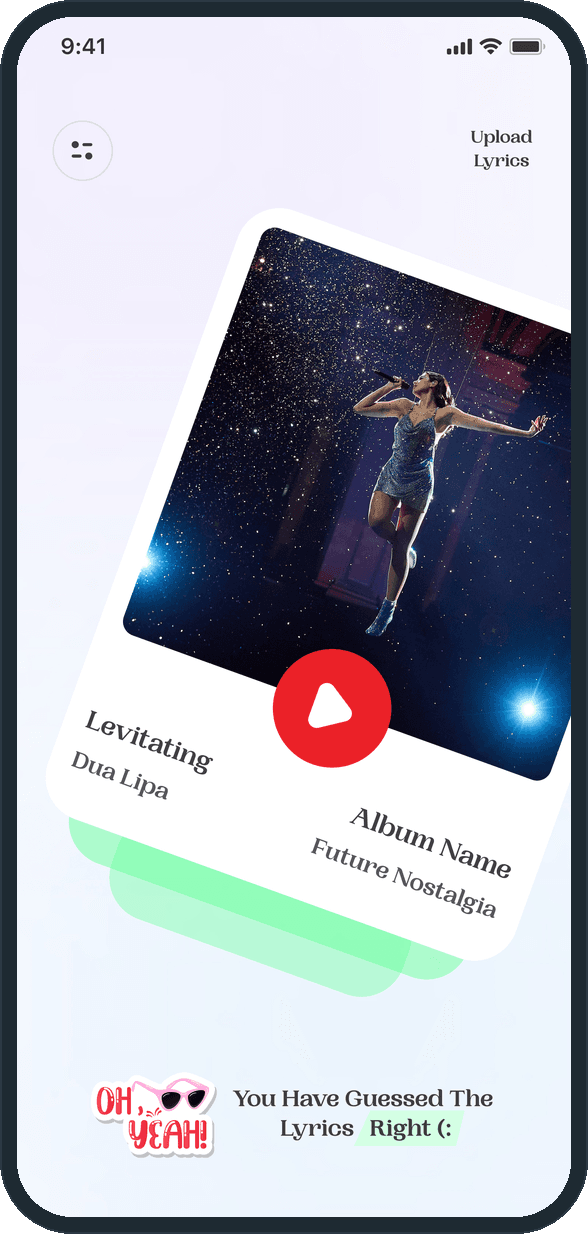
The card shows the first lines of the lyric and a blank line of note marks. The person swipes. On a hit the card tilts onto a green stack with the line You have guessed the lyrics right and a cheer sticker; on a miss it tilts the other way onto a pink stack with Oh no, you have guessed the lyrics wrong and an Oops sticker. From the same card, Upload lyrics opens a sheet with a username, a description and the song, and the Add feed post form takes a song name, an artist name and a picture.

Why one card at a time?

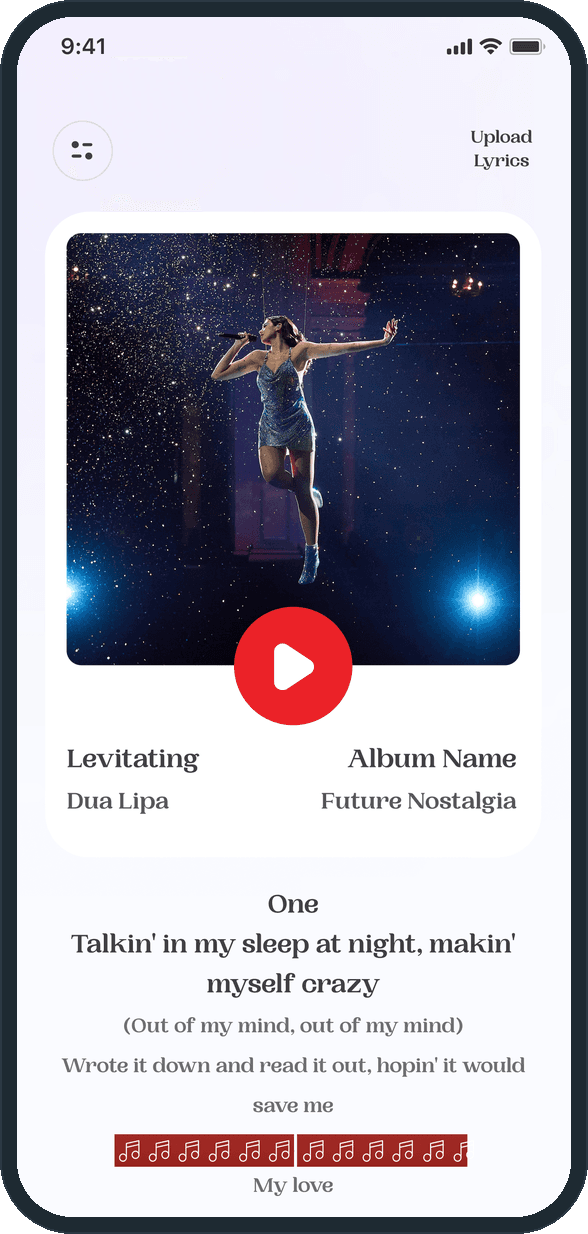
The home screen holds one song, not a list. The cover, the title, the artist and the album fill the card, the lyric sits under it, and the only other controls are the menu and Upload lyrics in the corners. A list would turn the game into browsing; one card keeps it a round. The library, the feed and the favorites all sit behind the menu or a swipe, so the first thing the person sees each time is a lyric to finish.

How does the lyric guessing work?

The home card shows one song with its cover, title, artist and album, the first lines of the lyric and a blank line of note marks to complete. A swipe answers it. On a hit the card tilts onto a green stack with the line You have guessed the lyrics right and a sticker; on a miss it tilts the other way onto a pink stack with Oh no, you have guessed the lyrics wrong.
  • Lyrassist: How does the lyric guessing work?
  • Lyrassist: How does the lyric guessing work?

What does a song page hold?

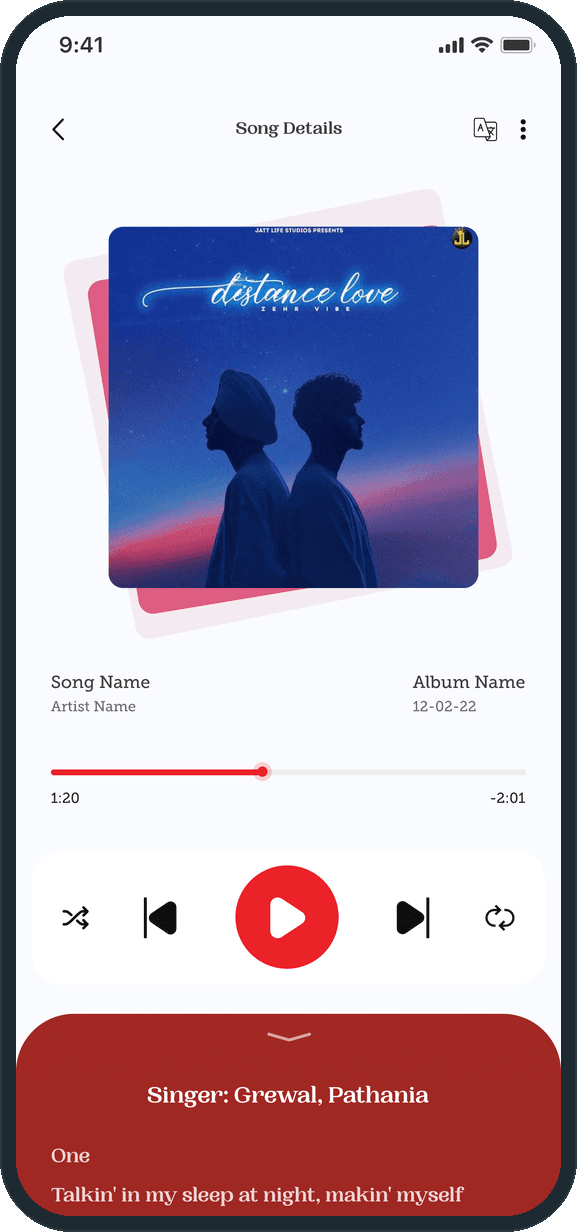
The album art on a tilted card, then the song, the artist, the album and its date, a progress bar with the time played and the time left, and shuffle, previous, play, next and repeat. A translate button sits in the header. The red lyrics sheet pulls up from the bottom with the singer credit, and the more menu offers Add to favorites, Share to feed and Add to personal library.

  • Lyrassist: What does a song page hold?

Is there a community around the songs?

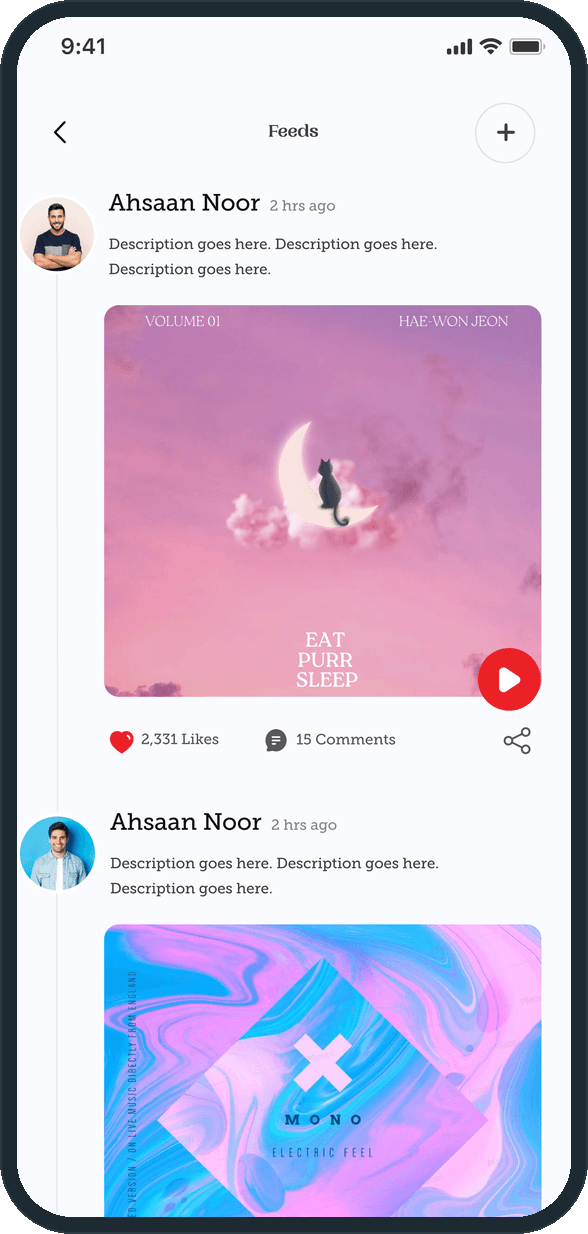
The Feeds page is a timeline of posts: an avatar, a name, how long ago, a description, a song cover with a play disc, then the like count, the comment count and a share button, with a plus button to post. From the home card, Upload lyrics opens a sheet over the keyboard with a username, a description and the chosen song, and one red Upload button.

  • Lyrassist: Is there a community around the songs?
  • Lyrassist: Is there a community around the songs?

How are songs saved and sorted?

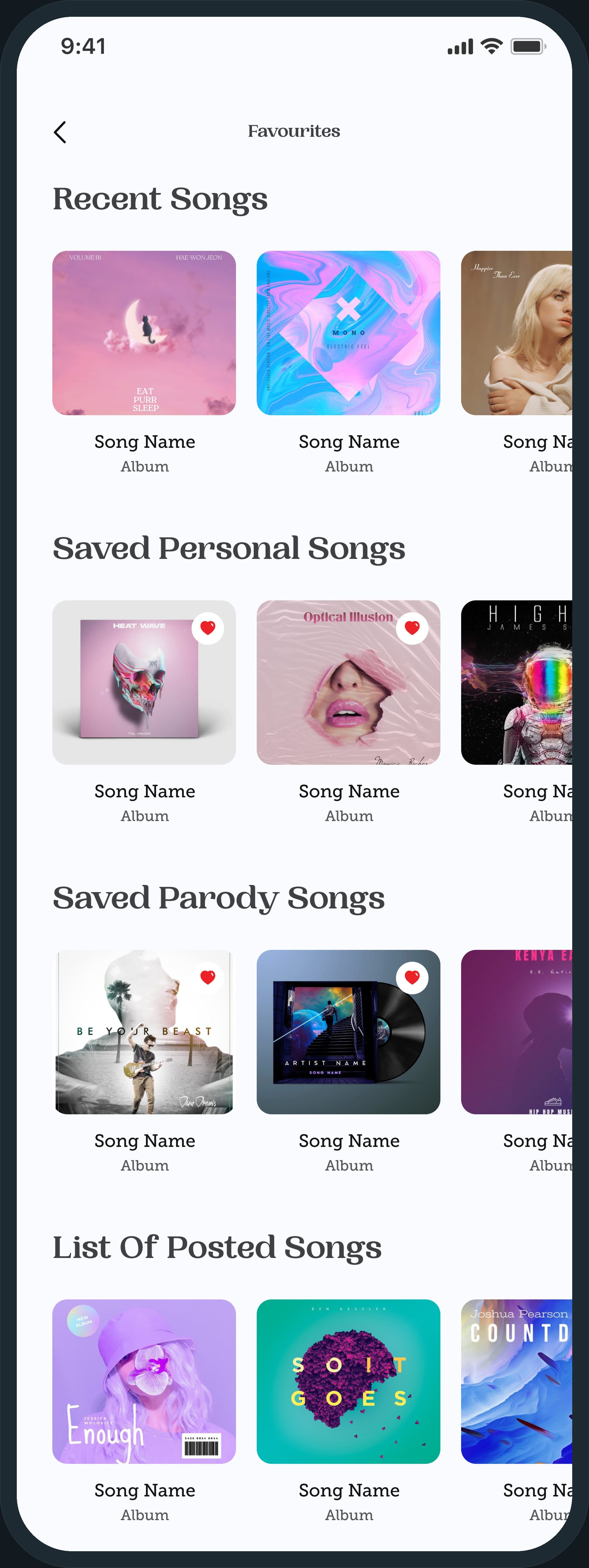
Favorites keeps four shelves of covers, top to bottom: recent songs, saved personal songs, saved parody songs and posted songs, with a heart on each saved cover. The profile page repeats the person's posted songs as a grid, and a lyrics page lists every song as a two-column grid with a search button.

Lyrassist: How are songs saved and sorted?

What does the subscription include?

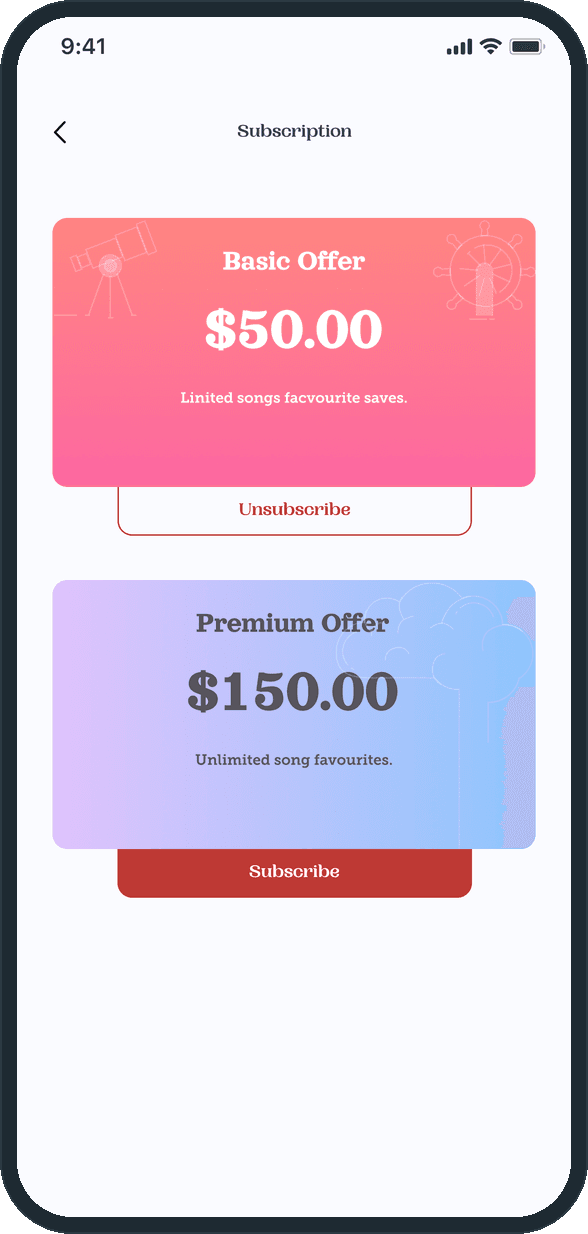
Two plan cards. The Basic offer lists limited favorite saves and carries an Unsubscribe button; the Premium offer lists unlimited song favorites and a red Subscribe button. A payment page lists the cards on file by their last four digits and expiry with Add new card, and the add-card form takes a name, a card number, an expiry, a CVV and a checkbox to save the card for future purchases.

  • Lyrassist: What does the subscription include?

The decisions

  • One card at a time.

    The home screen holds one song, not a list: the cover, the title, the artist, the album and the lyric with a blank line. A list would make it browsing; one card makes it a round.

  • The answer is a swipe, not a form.

    There is no text field on the card. The person swipes, and the card itself carries the result: it tilts onto a green stack on a hit and a pink one on a miss, with a sticker and a line of text. The color reads before the words do.

  • The lyrics sit on a sheet, not a page.

    On the song page the lyrics sit on a red sheet that pulls up over the player, so the controls and the progress bar stay where they are. The singer credit heads the sheet, and the more menu on the same page saves, shares or files the song.

  • Saved songs are sorted by where they came from.

    Favorites is four shelves, not one list: recent songs, saved personal songs, saved parody songs and posted songs. The heart on a cover marks it saved; the shelf says why it is there.

What was the outcome?

Built and delivered in under 6 months

One outcome per item, dated, or not disclosed: never an estimate.

More screens

  • Lyrassist

Which of our services apply

Common questions

Did Plainbuilt build Lyrassist?

Yes. Plainbuilt designed and built it full stack and delivered it in under 6 months.

What is in the 24 screens?

A splash and a welcome screen; sign-in, sign-up, forgot password, a 4-digit code and a password reset; the home card, its menu and the two guess results; the song page with its lyrics sheet and more menu; the feed, the add-post form and the upload sheet; favorites, a lyrics grid, a profile and edit profile; subscription, payment and add a card; about the app and send feedback.