Skip to content

Grati: a tipping app for customer service agents

Mobile app design and build for Grati, a tipping app: 26 iOS screens across a customer side and a representative side, built full stack in under 6 months.

Grati

The engagement

Client
Grati
Industry
Customer service tipping
Year
To follow
Duration
Under 6 months
Delivered
26 screens, iOS: 22 on the customer side and 4 more on the representative side, the shared account, legal and password screens counted once. Sign-up and sign-in, sending a tip, tip history and receipts, cards and payout, built full stack
Stack
To follow
Role
Full-stack development: design and build of the mobile app

Grati is a tipping app for customer service. A customer picks the company, the department and the agent who helped them and sends a $5 to $100 tip with a comment; the representative sees the tips received and sets a payout account. Plainbuilt designed and built it full stack and delivered it in under 6 months: 26 iOS screens across the two sides. The design rests on one line: the person is chosen before the amount.

Who is Grati for?

Two people at once. On one side, the customer who was helped by a service agent and wants to say thanks with money. On the other, the customer service representative who signs up with their company and role, watches the tips arrive and sets where the money goes. The company sits between them: the agent works under a department, and the app names the agent and the company together when the tip is sent.

What did Plainbuilt build?

The full product, both sides. The customer side: three onboarding slides, sign-up with a photo, name, username, email, phone and password, sign-in, forgot password with OTP verification and a reset, then the Home, Tip History and Profile tabs. Home holds the three selects and the Send tip screen. Tip History holds the list and the receipt. Profile holds the account, payment methods with masked cards and an add card form, and settings with change password, about the app, help, terms of use, privacy policy and logout. The representative side: sign-up with company and role, sign-in, the same password flow, a home list of the tips received, a profile, account details with the payout account, and the Payment receiving method step with its terms consent.

What does sending a tip look like?

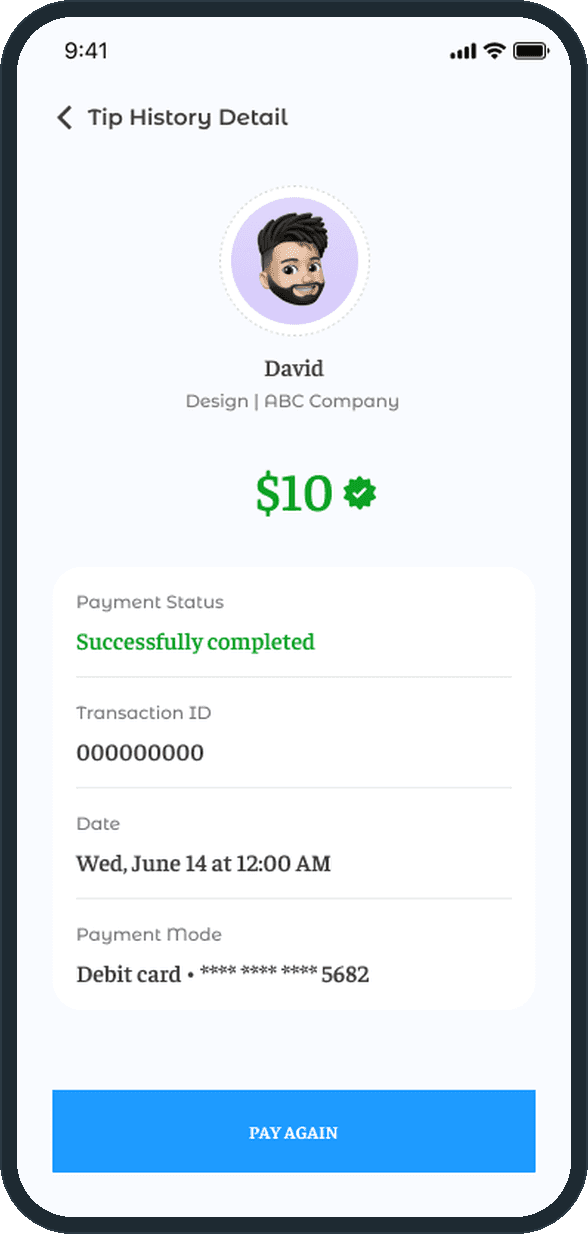
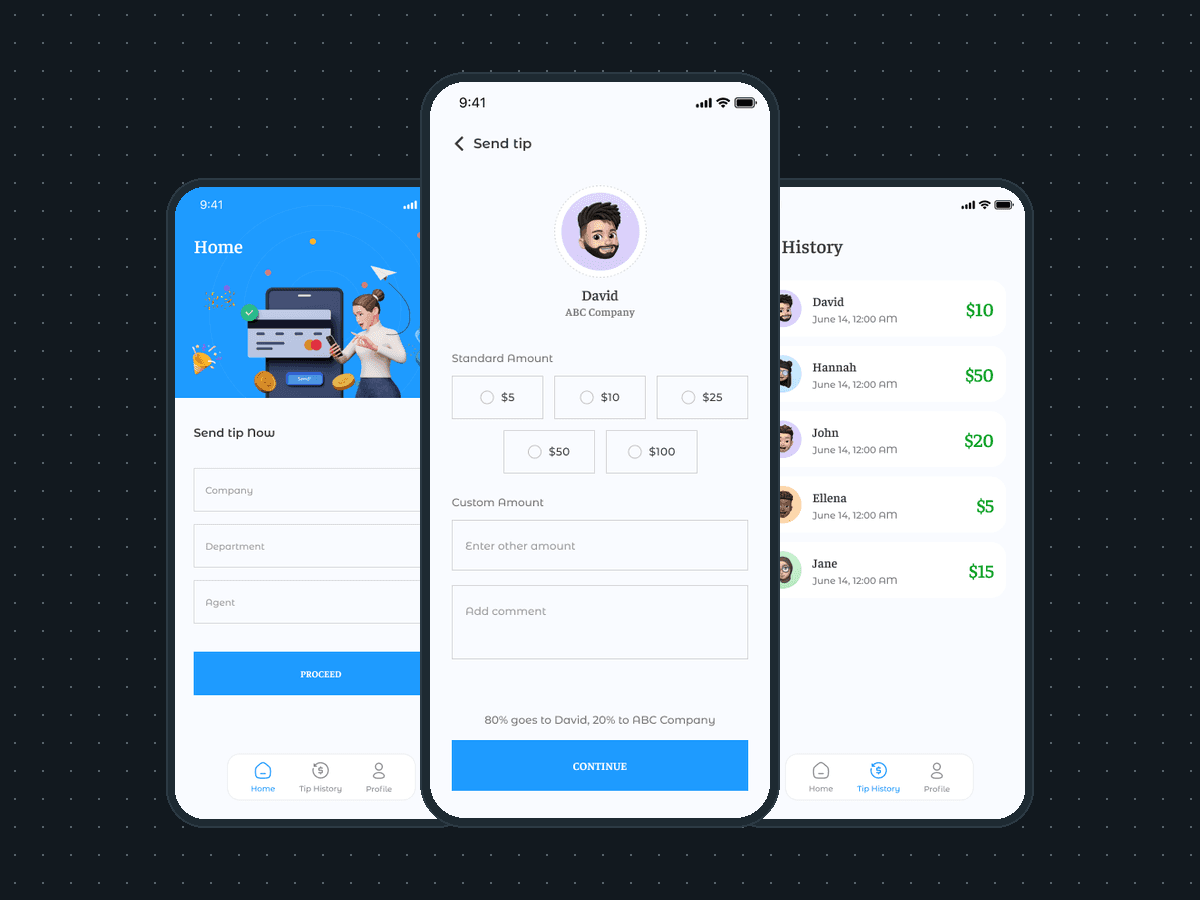
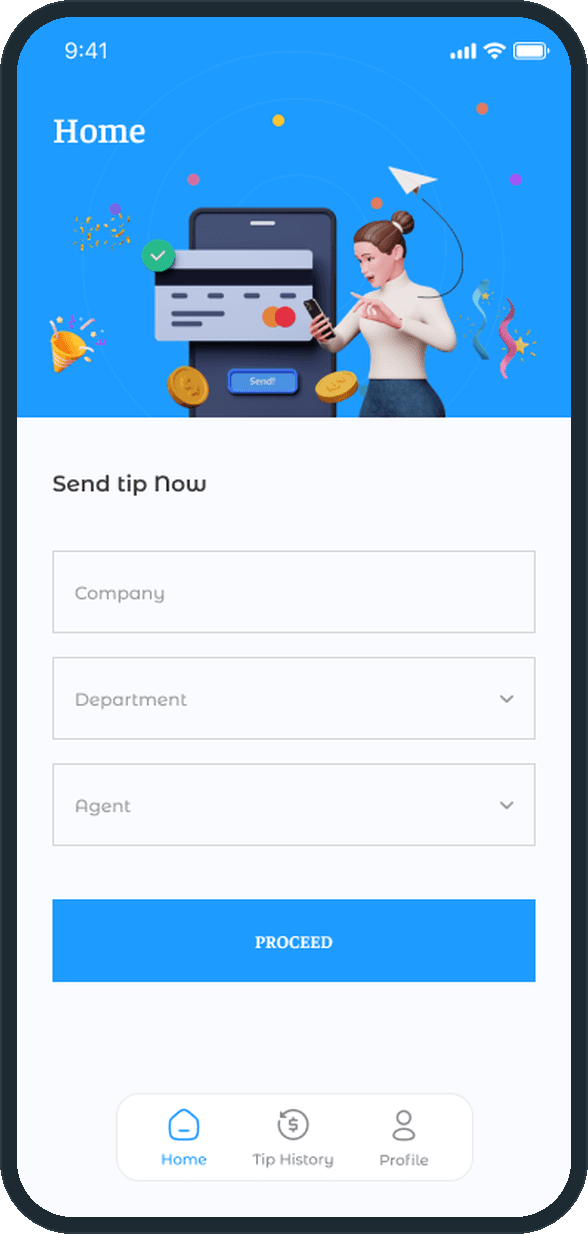
Three selects and an amount. The customer picks the company, then the department, then the agent, and taps Proceed. The Send tip screen shows the agent's avatar and company, five amounts from $5 to $100, a field for another amount, a field for a comment, and one line before the Continue button: 80% goes to the agent, 20% to the company. After payment the tip appears in Tip History and opens to its receipt: the status, the transaction ID, the date, the card ending and a Pay again button.

Why does the split sit on the payment screen?

Because it is the fact a customer needs before paying. The line sits directly above the Continue button, in plain text, with the agent's name and the company's name filled in, so nobody sends money without reading where it goes. The same screen carries the comment field, so the thanks and the money leave together.

How does a customer send a tip?

From the Home tab the customer picks the company, the department and the agent who helped them, then taps Proceed. The Send tip screen offers $5, $10, $25, $50 or $100, a custom amount and a comment, and states the split before the money moves: 80% goes to the agent, 20% to the company. The person is chosen before the amount, so the tip carries a name before it carries a figure.
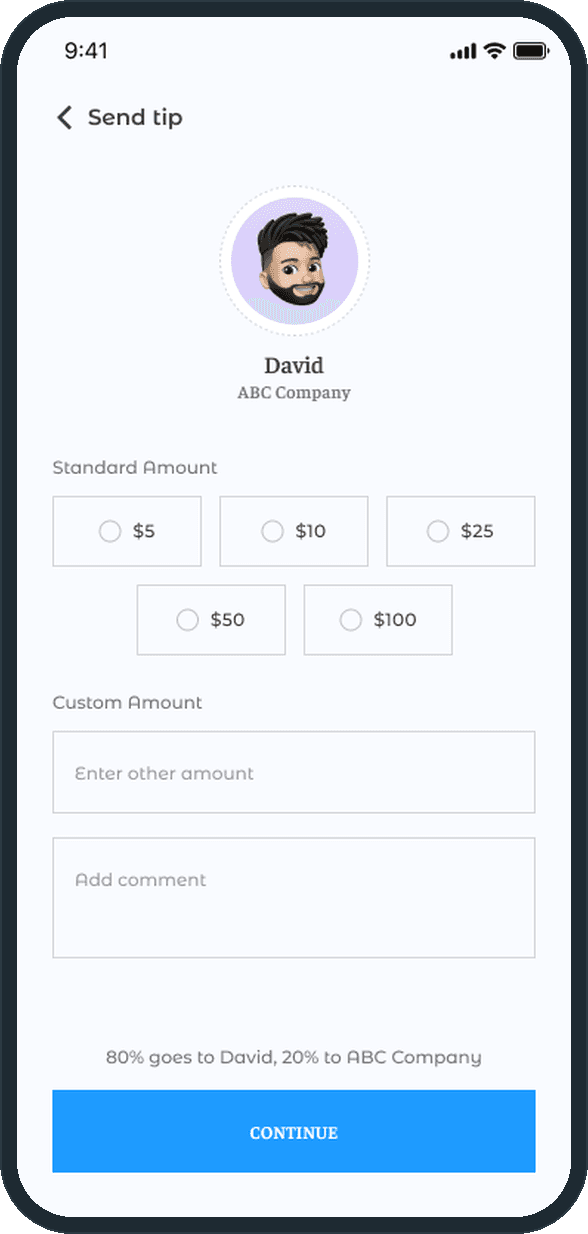
  • Grati: How does a customer send a tip?
  • Grati: How does a customer send a tip?

What does the customer see after paying?

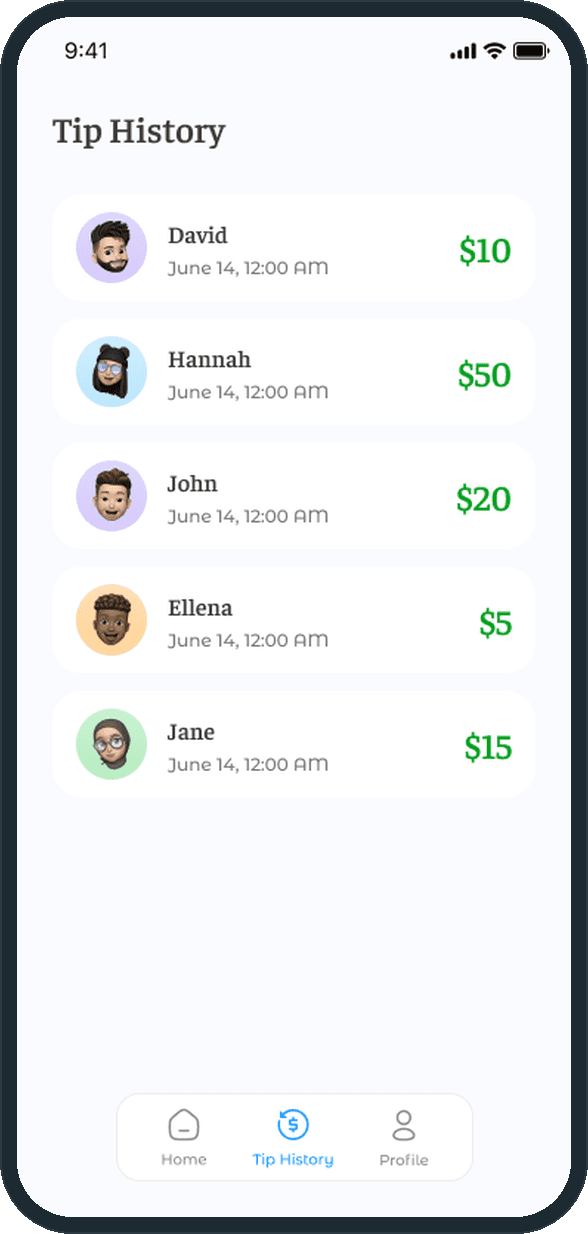
The Tip History tab lists every tip as a row: the agent's avatar, name, date and the amount in green. Opening a row shows the receipt: the agent and their department, the amount with a green check badge, the payment status, the transaction ID, the date and the masked debit card. A Pay again button sits at the foot of the receipt.

  • Grati: What does the customer see after paying?
  • Grati: What does the customer see after paying?

What does the representative's side look like?

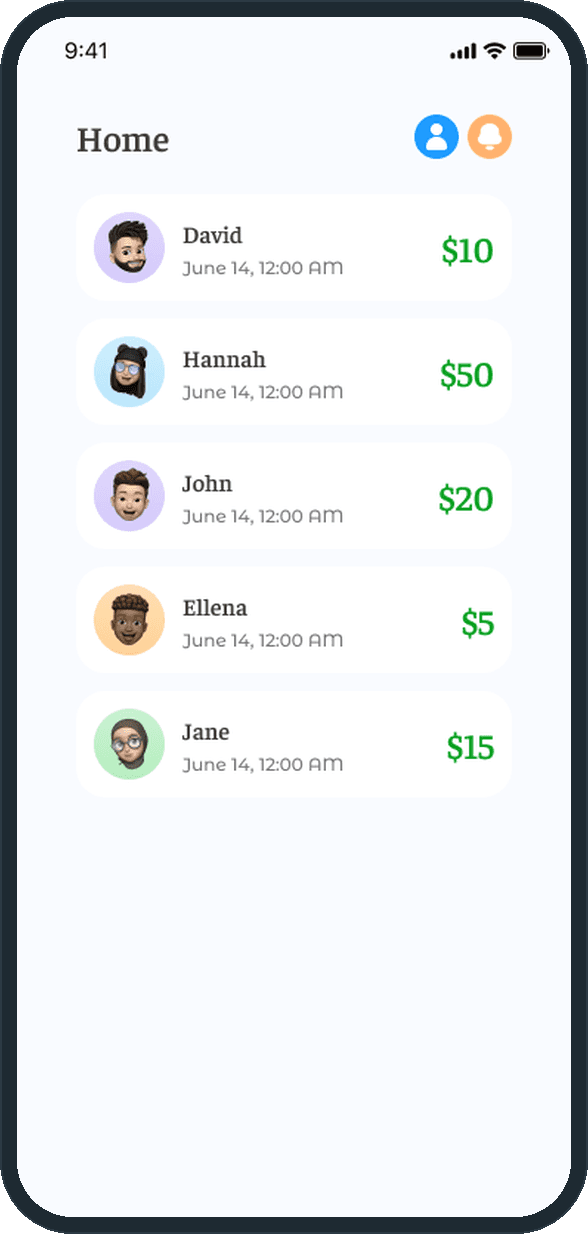
The customer service representative has their own side of the product. Sign-up asks for the company and the role on top of the name, username, email, phone and password. The home screen lists the tips received with the sender, the date and the amount, and Account details holds the payout account, set through a Payment receiving method step with a terms consent.

  • Grati: What does the representative's side look like?

How does someone get in?

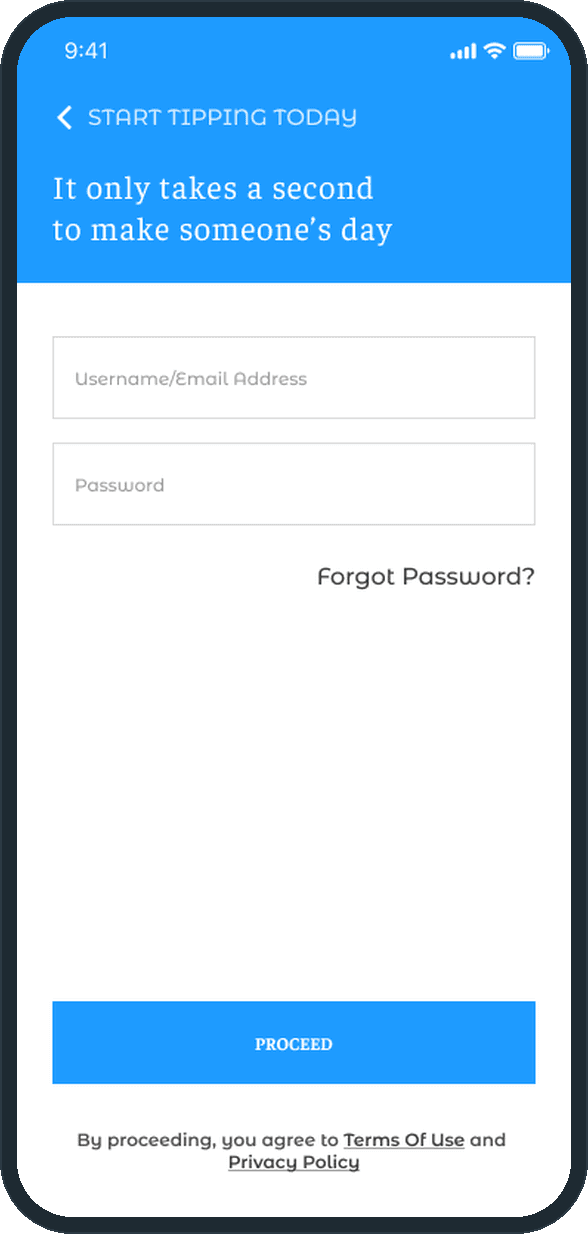
Sign in takes a username or email and a password under the line It only takes a second to make someone's day. Sign-up takes a photo, name, username, email, phone and password; forgot password, OTP verification and reset password complete the flow on both sides. The line under the Proceed button links the terms of use and the privacy policy.

  • Grati: How does someone get in?

Where does the customer manage cards and the account?

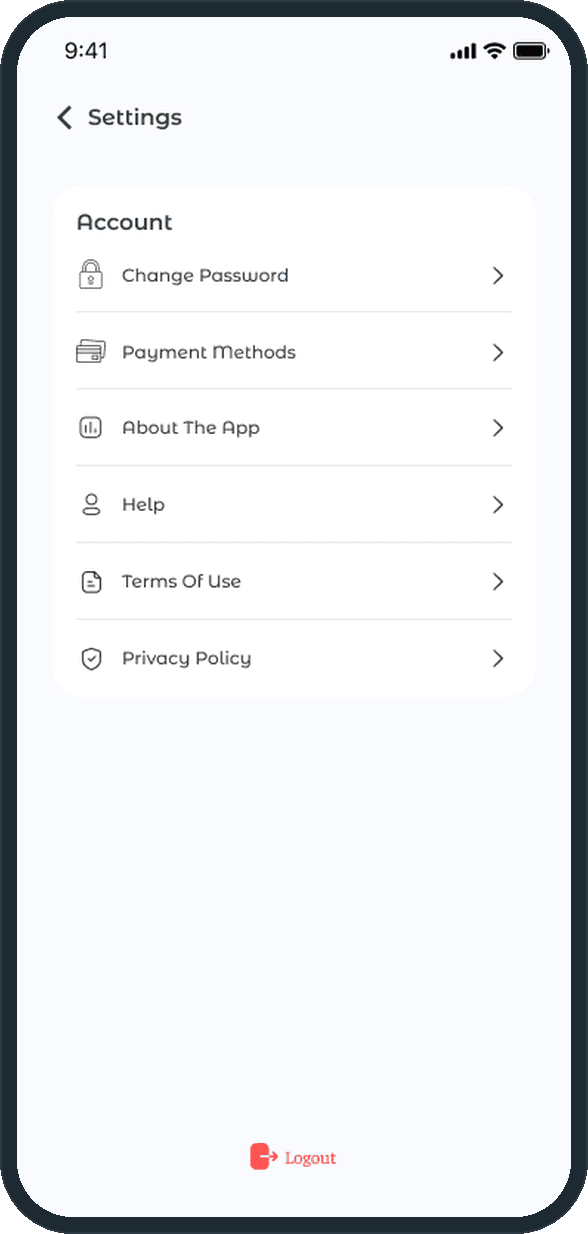
Under the Profile tab, Settings holds the account: change password, payment methods, about the app, help, terms of use and privacy policy, with logout on its own at the foot. Payment methods lists each saved card by its masked number and expiry with a delete control, and Add card takes the holder name, number, expiry and CVV. The representative's settings swap payment methods for account details, where the payout account lives.

  • Grati: Where does the customer manage cards and the account?

The decisions

  • The person before the amount.

    The home screen asks for the company, the department and the agent before it shows a dollar figure. The tip is addressed to the person who helped; the amount comes second.

  • The split is stated before payment.

    The Send tip screen says how the money divides, 80% to the agent and 20% to the company, on the same screen as the amount and directly above the Continue button. Nobody pays without seeing where it goes.

  • Fixed amounts first, a custom one after.

    Five buttons, $5 to $100, sit above a free field. A fixed amount is one tap; the field covers any other figure, and the keyboard stays away until it is needed.

  • A receipt for every tip.

    Each tip opens to a payment status, a transaction ID, the date and the masked card, with a Pay again button under them. The history is the customer's record, and the representative's home is the same kind of list from the other end.

What was the outcome?

Built and delivered in under 6 months

One outcome per item, dated, or not disclosed: never an estimate.

More screens

  • Grati

Which of our services apply

Common questions

Did Plainbuilt build Grati?

Yes. Plainbuilt designed and built it full stack and delivered it in under 6 months.

What was delivered for Grati?

26 iOS screens: 22 on the customer side, from onboarding and sign-in through tip sending, tip history and receipts, cards and settings, and 4 more on the representative side: sign-up with company and role, the tips received, account details and the payout method. The account, legal and password screens the two sides share are counted once.