Skip to content

Twirl: a bridal gown shopping app for brides-to-be

Twirl, a bridal gown shopping app: 6 iOS screens for onboarding, sign in and sign up, and a home of nearby shops, designers and gowns, built in under 6 months.

Twirl

The engagement

Client
Twirl
Industry
Bridal retail
Year
To follow
Duration
Under 6 months
Delivered
6 screens, iOS, splash and onboarding, sign in and sign up, a home of nearby shops, designers and gowns by silhouette, built full stack
Stack
To follow
Role
Full-stack development: design and build of the mobile app

Twirl is a bridal gown shopping app for brides-to-be, under the tagline From Dream to Screen. Plainbuilt designed and built it full stack and delivered it in under 6 months: 6 iOS screens, the splash, an onboarding carousel and its entry slide, sign in, sign up, and a home of nearby shops, designers and gowns by silhouette, with Appointments in the tab bar. The design rests on one scroll a bride can browse before she makes an account.

Who is Twirl for?

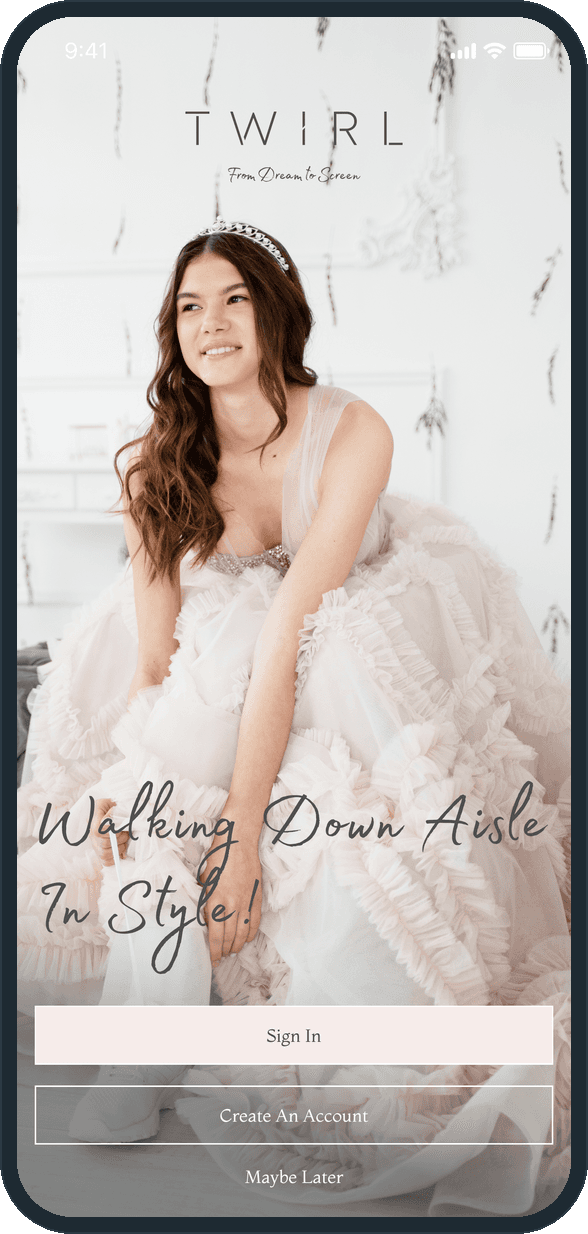
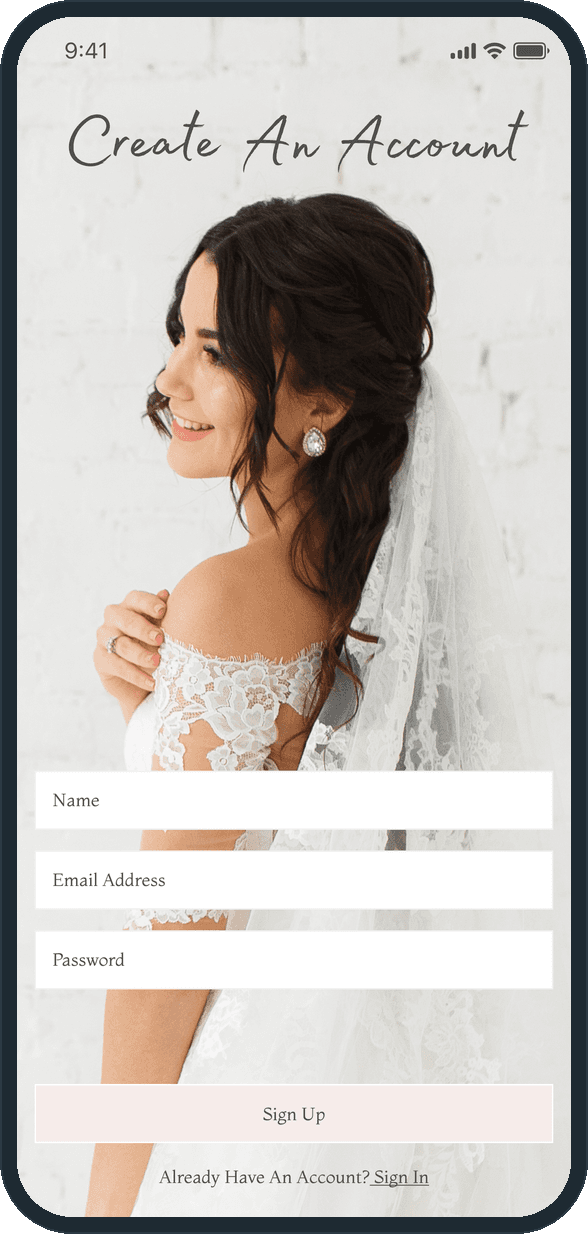
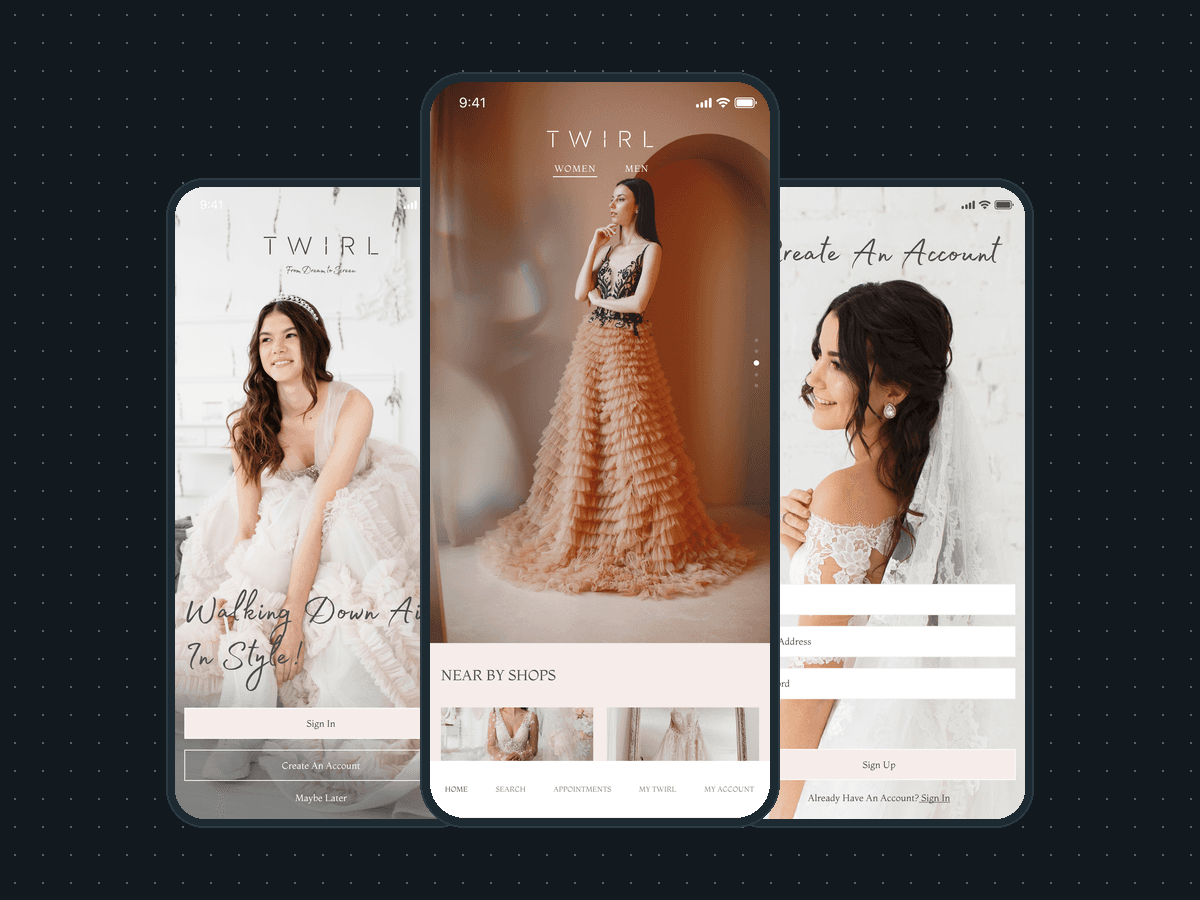
A bride shopping for her gown. The entry slide reads Walking Down Aisle In Style over a seated bride in a tiara, and the sign-up screen puts a bride in a veil behind its three fields. The home is her side of the product: Near by shops with a View All link, Designers, and the gowns sorted by silhouette, Ball Gown and A-Line, with Recommended and New Arrivals beside them. The home carries a Women tab and a Men tab; the Women tab is the one the screens show.

What did Plainbuilt build?

The whole app, front to back, as the screens show it. A splash screen with the line mark, the wordmark and the tagline on ivory. An onboarding carousel of three full-bleed photographs, each under the wordmark and tagline, and an entry slide with Sign In, Create An Account and Maybe Later. Sign in, titled Welcome Back, with Email Address, Password and Forgot Password, and a Sign Up link for a new account. Sign up, titled Create An Account, with Name, Email Address and Password. A home with Women and Men tabs, a gown carousel with page dots, Near by shops as four tiles with View All, Designers as three tiles, and Recommended, Ball Gown, A-Line and New Arrivals, each with Shop Now. A five-tab bar: Home, Search, Appointments, My Twirl and My Account.

What does the home look like?

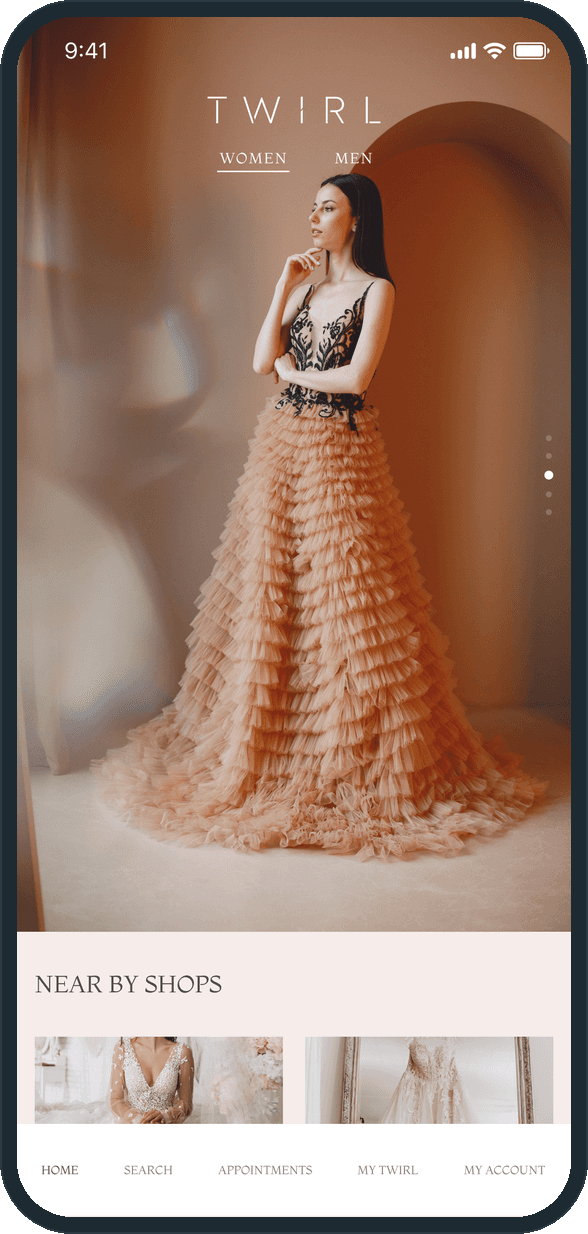
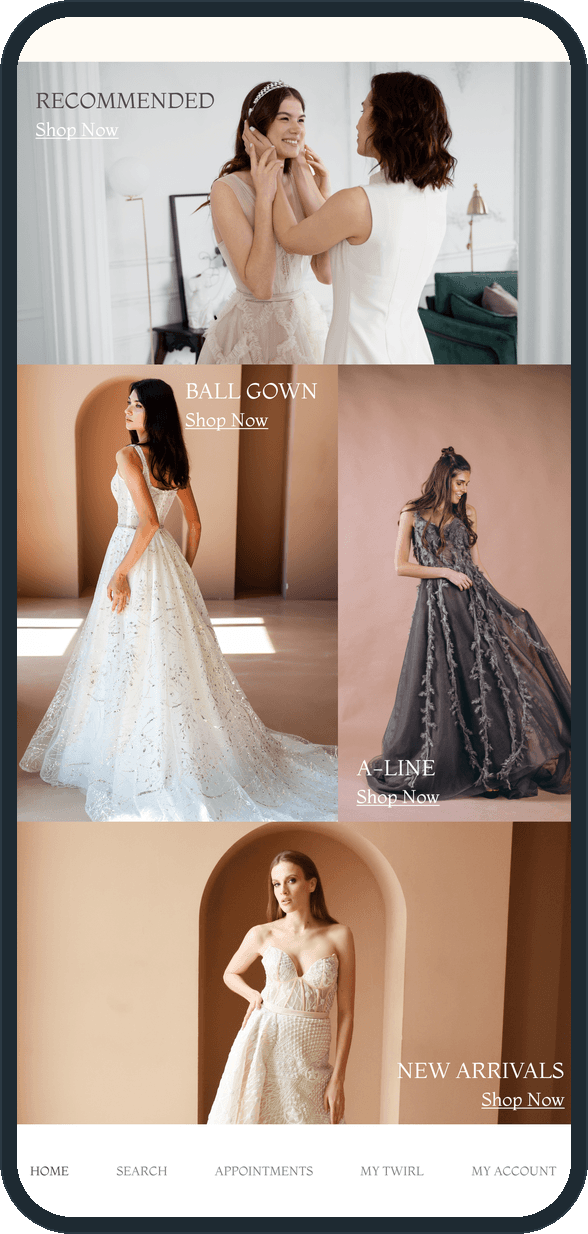
One scroll, top to bottom. It opens on a full-bleed photograph of a gown with the wordmark and the Women and Men tabs over it and page dots down the right edge. A blush band follows with Near by shops: four square photo tiles, two across, and a View All link. An ivory band holds Designers, three portrait tiles in a row. Then the gowns: Recommended as one wide photograph, Ball Gown and A-Line side by side, New Arrivals across the full width, each with its heading in serif capitals and a Shop Now link on the photograph. The tab bar stays at the foot.

Why can a bride browse before she signs up?

Because the entry slide says so: Sign In, Create An Account and, under them, Maybe Later. The account is asked for with three fields, Name, Email Address and Password, and not before the home. Appointments and My Twirl have tabs of their own, so the parts of the app that belong to one bride sit beside the browse, one tap away, for whenever she does make the account.

What does a bride see when Twirl opens?

The home opens on the TWIRL wordmark with Women and Men tabs over a full-bleed gown carousel, page dots down the right edge, and the first Near by shops tiles under it on a blush band. The tab bar runs Home, Search, Appointments, My Twirl and My Account, so shops, gowns, appointments and a saved list are one tap apart.
  • Twirl: What does a bride see when Twirl opens?

How does she shop for a gown?

By scrolling. Under the nearby shops and the designers come Recommended, Ball Gown, A-Line and New Arrivals as photo blocks, each with its heading in serif capitals and a Shop Now link on the photograph. Ball Gown and A-Line sit side by side; Recommended and New Arrivals run the full width, so the home reads as a lookbook rather than a grid. The tab bar stays at the foot.

  • Twirl: How does she shop for a gown?

How does someone get in?

The last onboarding slide says Walking Down Aisle In Style in script over a seated bride and offers Sign In, Create An Account or Maybe Later, so browsing needs no account. Create An Account asks only for Name, Email Address and Password over a bride in a veil, with a Sign In link underneath. The matching Welcome Back screen takes an email address and a password and adds Forgot Password.

  • Twirl: How does someone get in?
  • Twirl: How does someone get in?

What does the brand look like?

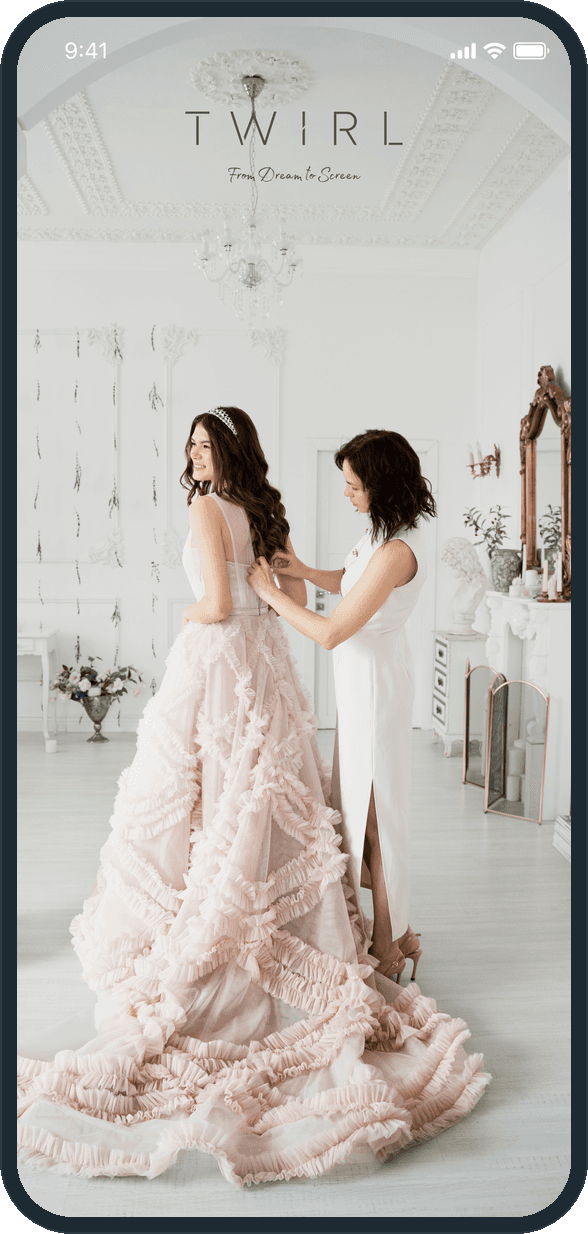
A line drawing of a gown under a crossed needle and pin, inside a frame of stitched loops, then the TWIRL wordmark in spaced serif capitals and the tagline From Dream to Screen in a script face, all on ivory. The onboarding slides carry the same wordmark and tagline over full-bleed photographs of a fitting. The palette is ivory, blush and charcoal, with the photography in blush, peach and terracotta.

  • Twirl: What does the brand look like?
  • Twirl: What does the brand look like?

The decisions

  • Browsing needs no account.

    The entry slide offers Sign In and Create An Account, and under them, Maybe Later. A bride can open the home and scroll the shops, the designers and the gowns before she types a name or an email address. The account is asked for with three fields, not before the home.

  • A lookbook, not a grid.

    The home stacks its sections as photo bands: a full-bleed carousel, then shop and designer tiles, then Recommended, Ball Gown, A-Line and New Arrivals as one photograph each with a Shop Now link. Blush and ivory bands alternate between them. The page is scrolled, not filtered.

  • Three fields to sign up.

    Create An Account asks for Name, Email Address and Password, nothing else, in three white fields over the photograph. Sign Up is one blush button, with the link to Sign In under it. The Welcome Back screen mirrors it with two fields and Forgot Password.

  • Five tabs at the foot.

    Home, Search, Appointments, My Twirl and My Account run across the foot of the home, at the top of the scroll and at the bottom of it. The appointments and the saved list sit beside the browse, one tap from any gown.

What was the outcome?

Built and delivered in under 6 months

One outcome per item, dated, or not disclosed: never an estimate.

Which of our services apply

Common questions

Did Plainbuilt build Twirl?

Yes. Plainbuilt designed and built it full stack and delivered it in under 6 months.

What does Twirl do?

It is a bridal gown shopping app. A bride signs in, creates an account with a name, an email address and a password, or taps Maybe Later and browses. The home shows Women and Men tabs, a gown carousel, nearby shops with View All, designers, and Recommended, Ball Gown, A-Line and New Arrivals with Shop Now on each. The tab bar holds Home, Search, Appointments, My Twirl and My Account.