Skip to content

Make Me: a two-sided app for booking beauty artists

Mobile app design and build for Make Me: 17 iOS screens across a customer app and an artist app for booking beauty services, delivered in under 6 months.

Make Me

The engagement

Client
Make Me
Industry
Beauty and personal care services
Year
To follow
Duration
Under 6 months
Delivered
17 screens, iOS, a customer app and an artist app, built full stack
Stack
To follow
Role
Full-stack development: design and build of the mobile apps

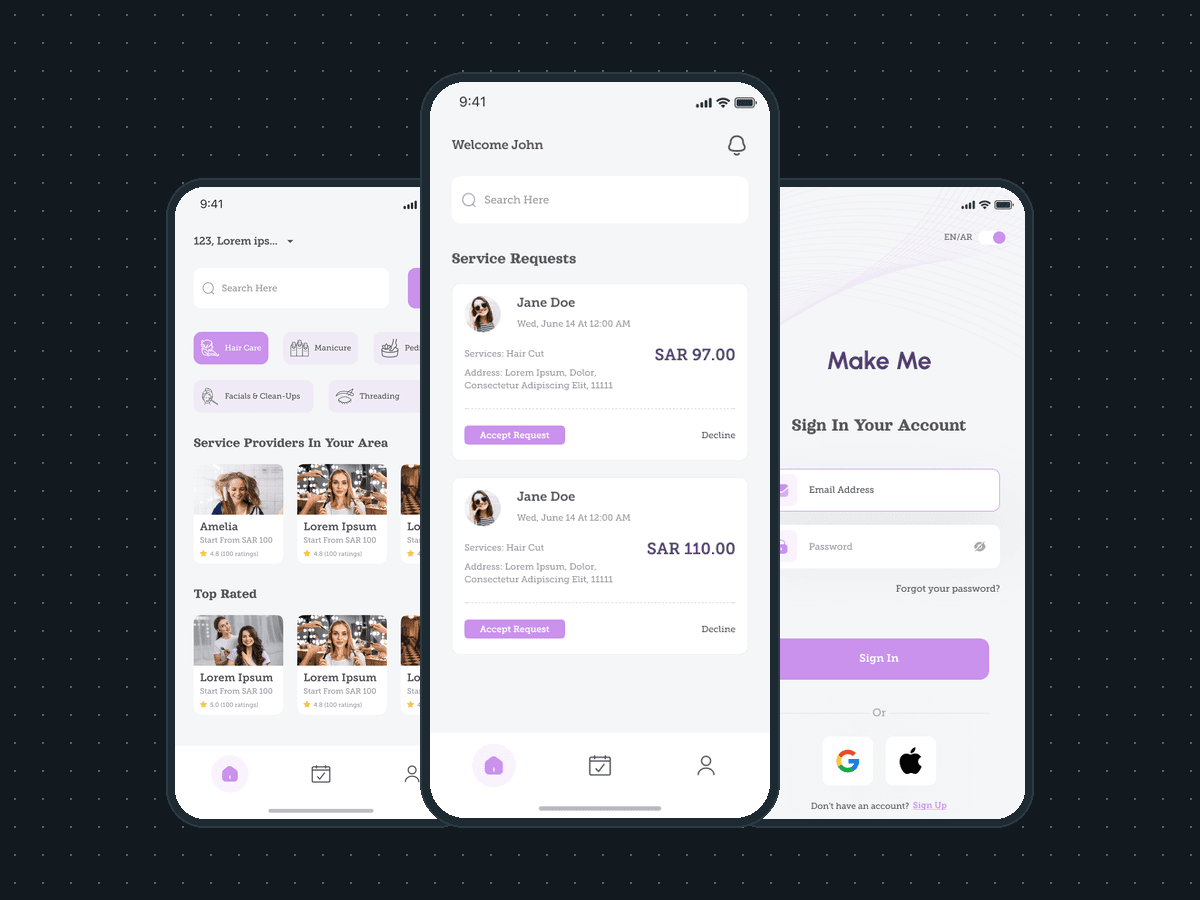
Make Me is a two-sided app for booking beauty services: a customer finds a hair, nail, facial or threading artist nearby and books them, and the artist takes the request in a separate Make Me Artist app. Plainbuilt designed and built it full stack and delivered it in under 6 months: 17 iOS screens across the two apps. The line the design rests on: the artist sees the payout before accepting.

Who is Make Me for?

Two people. The customer who wants a haircut, a manicure, a pedicure, a facial or threading, and wants to see who is nearby, what they charge and how they are rated before booking. And the artist who does the work, who needs each request with its date, services, address and payout in one place, and a way to accept or decline it. Prices on the screens are in SAR, and the sign-in screen carries an EN/AR language toggle.

What did Plainbuilt build?

Two iOS apps that share one booking, 17 distinct screens in all. On the customer side: the home with search, five categories and two rows of artist cards; the filter sheet by rating, distance and price; bookings tabbed as upcoming, pending and past; a profile. On the artist side: a home of incoming service requests with accept and decline; bookings in the same upcoming, pending and past tabs; the service detail in its requested, accepted and upcoming states, the last with a checkbox to mark the service done and a cancel; an account with profile, chats, services, addresses, availability and settings; edit profile with the national ID and certificate uploads and an IBAN; the public profile with a gallery and testimonials; a ratings page with a five-to-one star chart; notifications. Plus a splash for each app and the sign-in set: email and password, Google and Apple, forgot password with a 4-digit code sent by email, and a reset screen.

What does a booking look like from both sides?

The customer picks an artist from the home rows or the filtered results and books. The artist gets the booking as a service request: the customer's name and rating, the date and time, the services and how many people, the address, and three money lines, the service price, the platform charge and the amount the artist receives, with accept request and decline under them. Both apps then tab the booking as upcoming, pending or past. On the customer's card the state reads booking accepted or booking verified; on the artist's, service accepted or service upcoming, and the upcoming service screen has the checkbox to mark it done.

Why show the payout before the accept button?

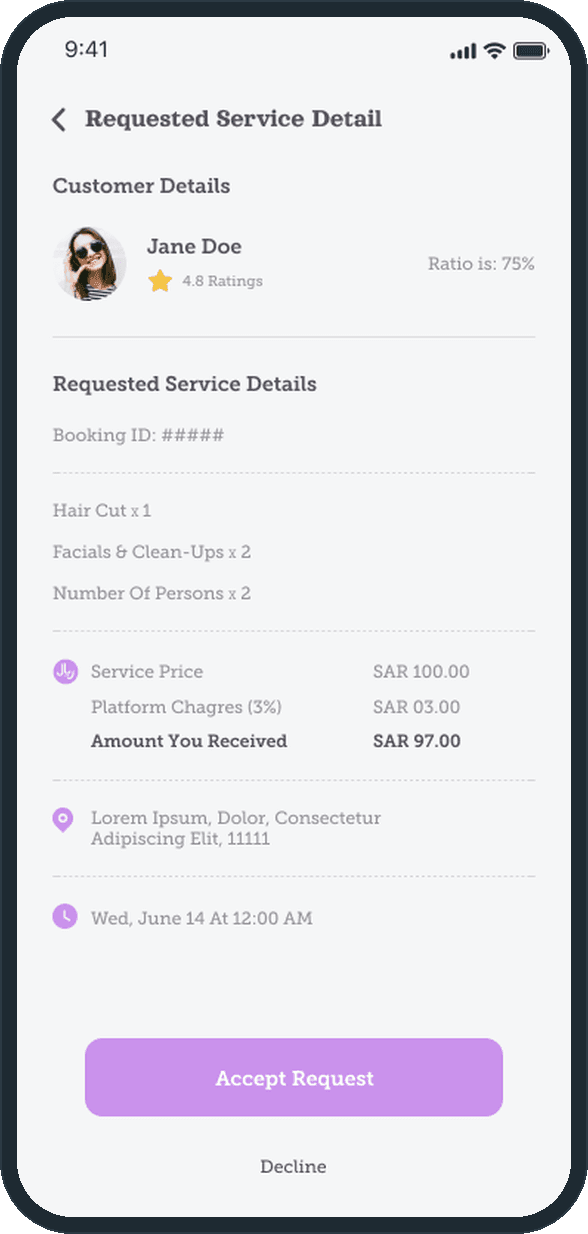
Because that is the decision the artist is making. The request detail lists the service price, the platform charge of 3% and the amount the artist receives, and the accept request button sits under those lines. On the sample screen they read SAR 100.00, SAR 3.00 and SAR 97.00. The fee sits on the request itself, before any commitment.

How does a customer find a beauty artist nearby?

The home opens on a search bar and five categories: hair care, manicure, pedicure, facials and clean-ups, threading. Under them sit two rows of artist cards, the providers in the customer's area and the top rated, each with a photo, a starting price in SAR and a star rating. The filter sheet narrows the rows by average rating, by distance from 1 to 100 km and by a price range from 0 to 1000 SAR.
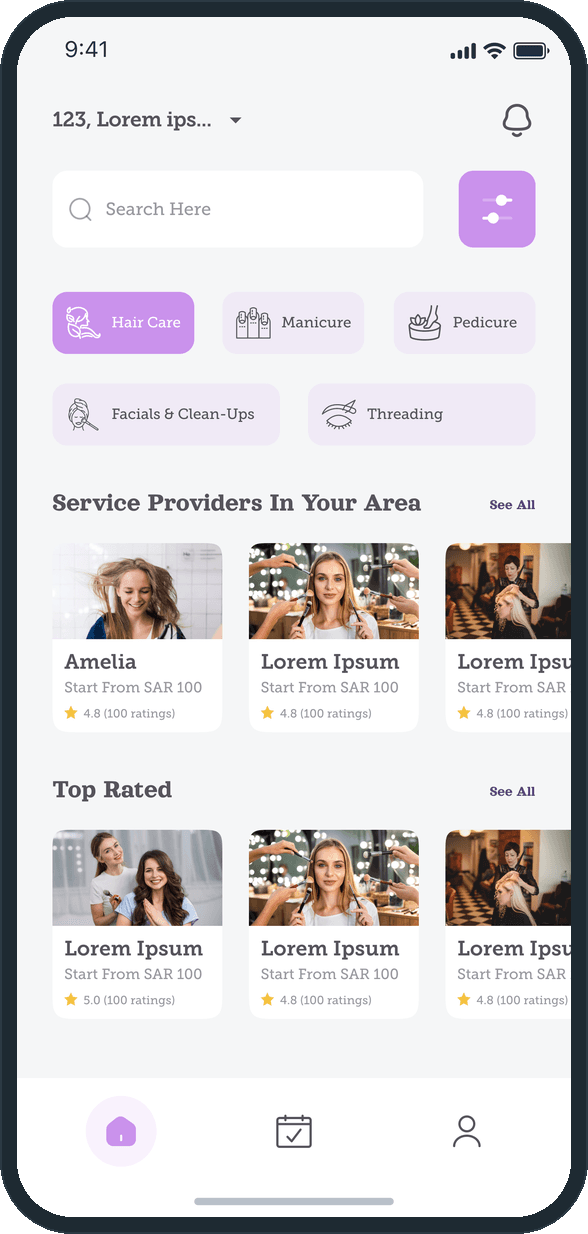
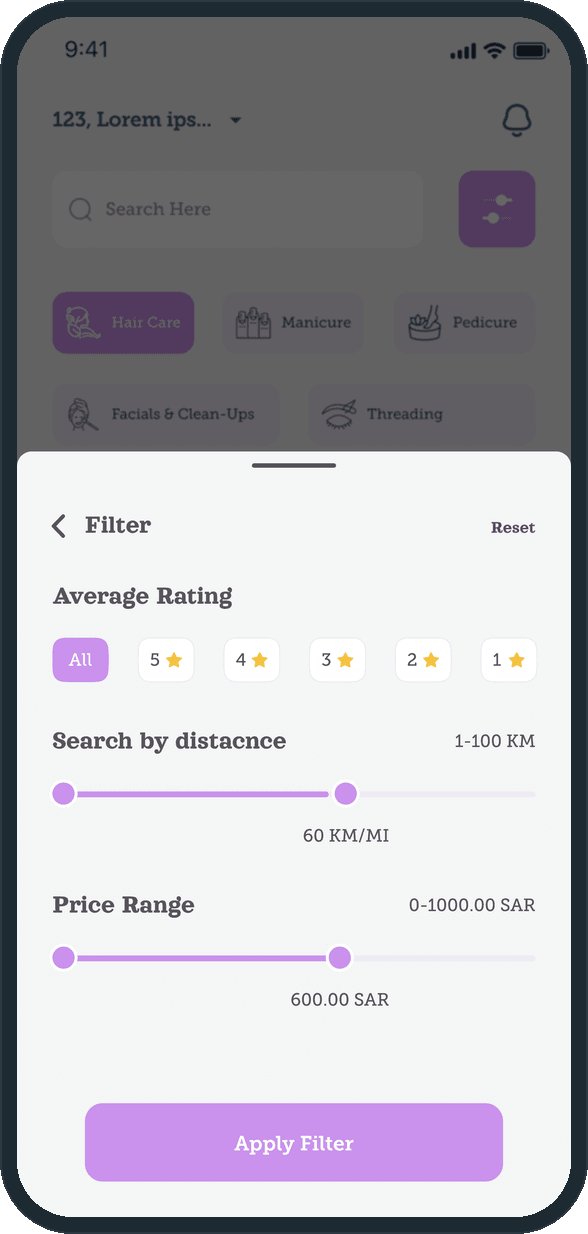
  • Make Me: How does a customer find a beauty artist nearby?
  • Make Me: How does a customer find a beauty artist nearby?

What does the customer see after booking?

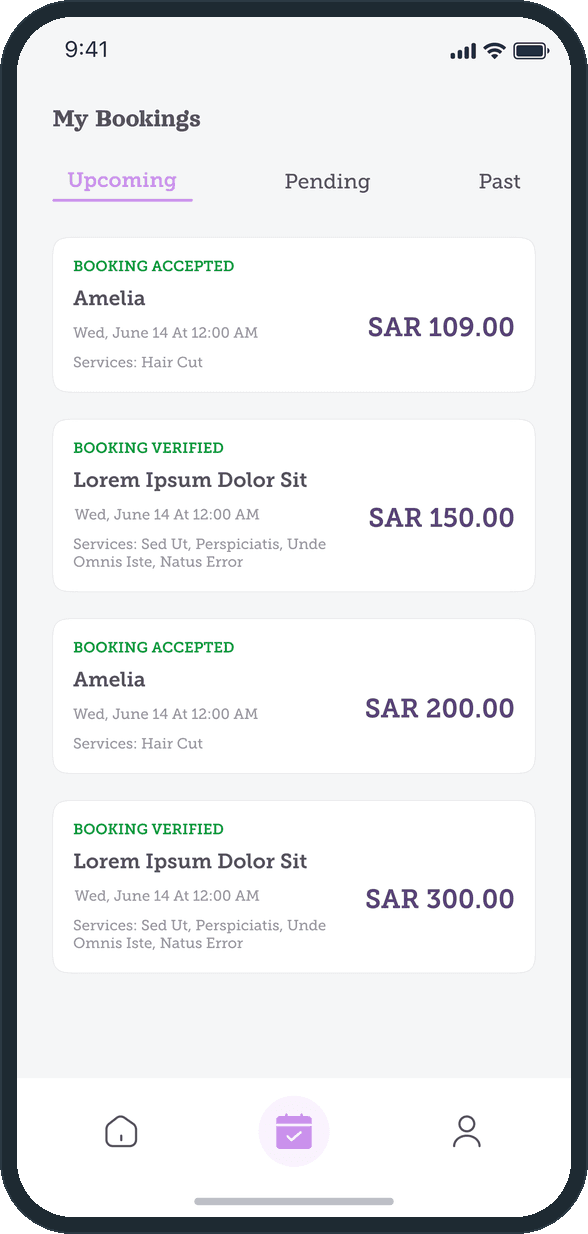
My bookings splits into upcoming, pending and past. Each card carries its state in green, booking accepted or booking verified, then the artist, the date and time, the services and the price in SAR. The state of a booking sits on the card, where the customer looks first.

  • Make Me: What does the customer see after booking?

How does an artist take a request and know the payout?

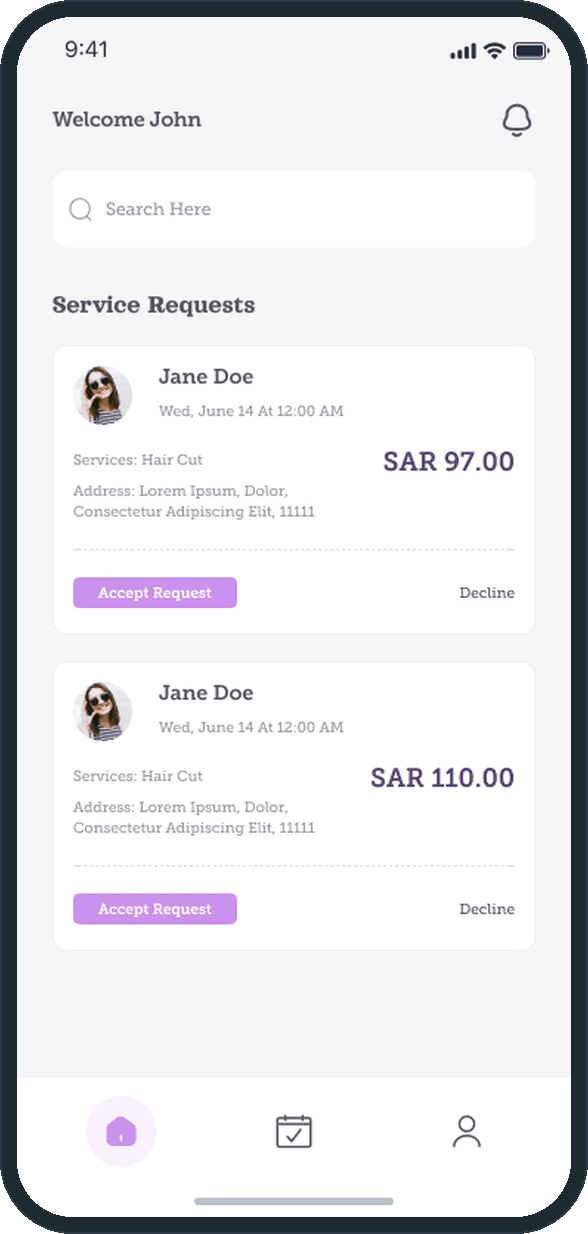
The artist home lists service requests: the customer, the date, the services, the address and the amount, with accept request and decline on each card. The detail screen shows the customer's rating, the booking line items, the service price, the platform charge of 3% and the amount the artist receives, all above the accept button. On the sample request the three lines read SAR 100.00, SAR 3.00 and SAR 97.00.

  • Make Me: How does an artist take a request and know the payout?
  • Make Me: How does an artist take a request and know the payout?

How does an artist present their work and get verified?

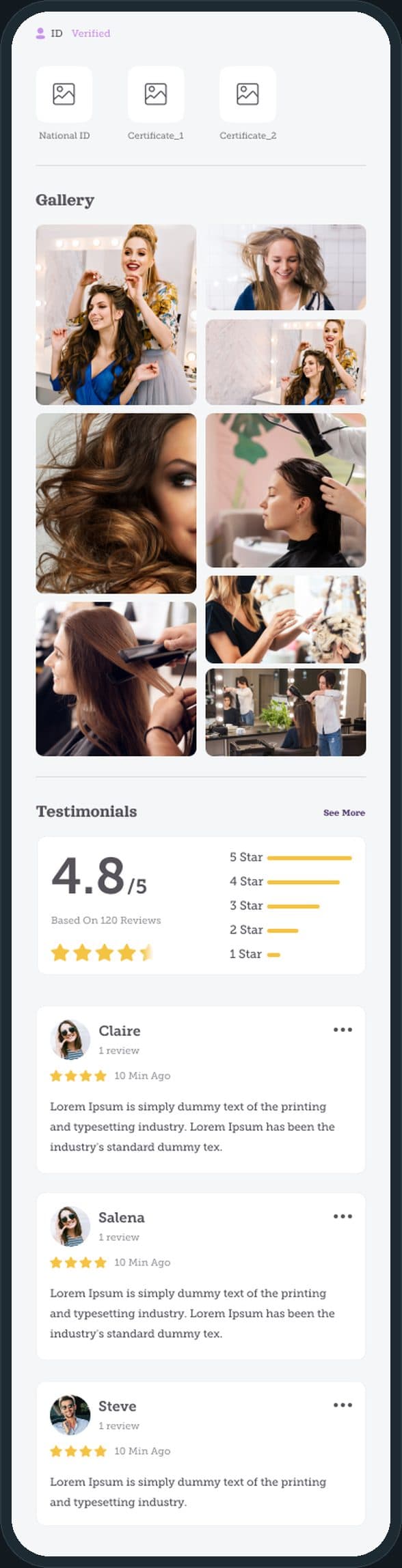
The public profile is one scrolling page; the screen shows it from the ID verified badge down. Under the badge sit the national ID and certificate uploads, then a photo gallery, then testimonials with a score out of 5, a five-to-one star breakdown and each review with its stars. A customer checks the artist's papers and their work on the same page before booking.

Make Me: How does an artist present their work and get verified?

Is it one app or two?

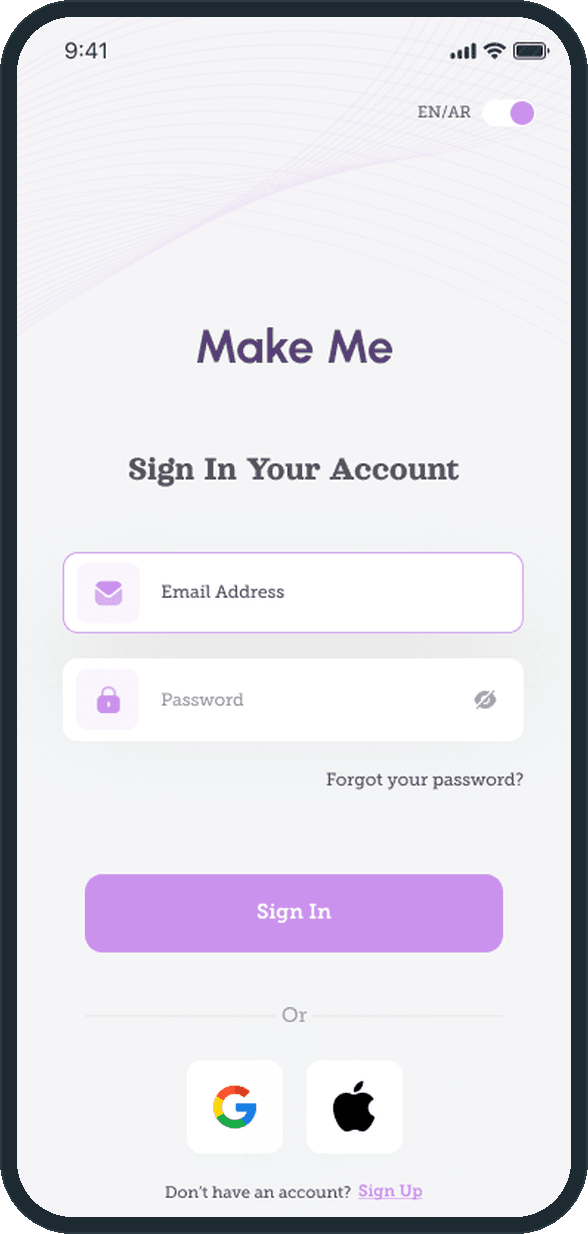
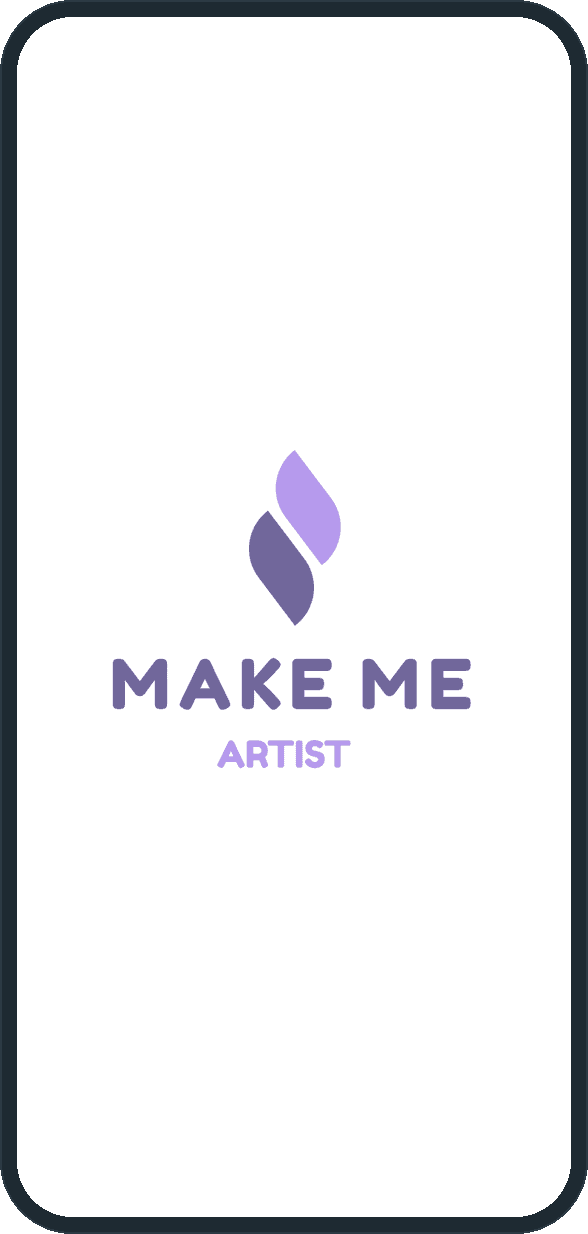
Two. The customer app and the Make Me Artist app share one two-leaf mark; the artist app's splash adds the artist tag under the wordmark. Sign in offers email and password, Google and Apple, a forgot-password path that sends a 4-digit code to the email address, and an EN/AR language toggle at the top of the screen.

  • Make Me: Is it one app or two?
  • Make Me: Is it one app or two?

The decisions

  • The payout is shown before the accept button.

    A request in the artist app carries the service price, the 3% platform charge and the amount the artist receives, on the same screen as accept request and decline. The artist decides with the number in front of them, not after.

  • Two apps, one mark.

    The customer and the artist have different jobs, so each gets an app with its own home: categories and artist cards on one side, incoming requests on the other. The two-leaf mark, the lilac buttons and the deep purple prices carry across both, so they read as one product.

  • Booking state is a label, not a message.

    Both apps tab bookings as upcoming, pending and past, and each card carries its state in green: booking accepted or booking verified on the customer side, service accepted or service upcoming on the artist side. The state sits on the card, where the person looks first.

  • Verification lives on the public profile.

    The ID verified badge, the national ID and certificate uploads, the gallery and the testimonials sit on the same page a customer sees before booking. The papers and the work are next to each other.

What was the outcome?

Built and delivered in under 6 months

One outcome per item, dated, or not disclosed: never an estimate.

Which of our services apply

Common questions

Did Plainbuilt build Make Me?

Yes. Plainbuilt designed and built it full stack and delivered it in under 6 months.

Can Plainbuilt build a booking app like Make Me?

Yes. The same shape of build: a customer app and a provider app that share one booking, designed and built full stack. Book a working session to scope one.